Presentation: New Hampshire Water Infrastructure Funding dashboard
NHDES logo goes here
Introduction
New Hampshire Water Infrastructure Funding dashboard
A public map and list of the grants and loans NHDES commits to drinking water, wastewater and stormwater projects.
This prototype helps NHDES picture the idea. Its design and features will be shaped to NHDES' needs.
Introduction
Why NHDES is building the dashboard
- Residents, towns and legislators can see where state water funding went, in one place.
- Each project shows who received the money, what it paid for and which funding sources it used.
- Anyone can search, filter and download the list without asking NHDES staff.
- Updates follow a checked, repeatable process that NHDES approves.
Introduction
What the prototype holds
- Committed
- $384 million
- Projects
- 199
- Communities
- 85
| Funding source | Amount |
|---|---|
| Clean Water State Revolving Fund | $252.1 million |
| Drinking Water State Revolving Fund | $119.3 million |
| American Rescue Plan Act of 2021 | $8.5 million |
| PFAS Remediation Loan Fund | $4.0 million |
| Drinking Water and Groundwater Trust Fund | $429,000 |
Source: 17 projects from NHDES' sample in RFP Addendum 4 and 182 from EPA's public State Revolving Fund records.
Walkthrough
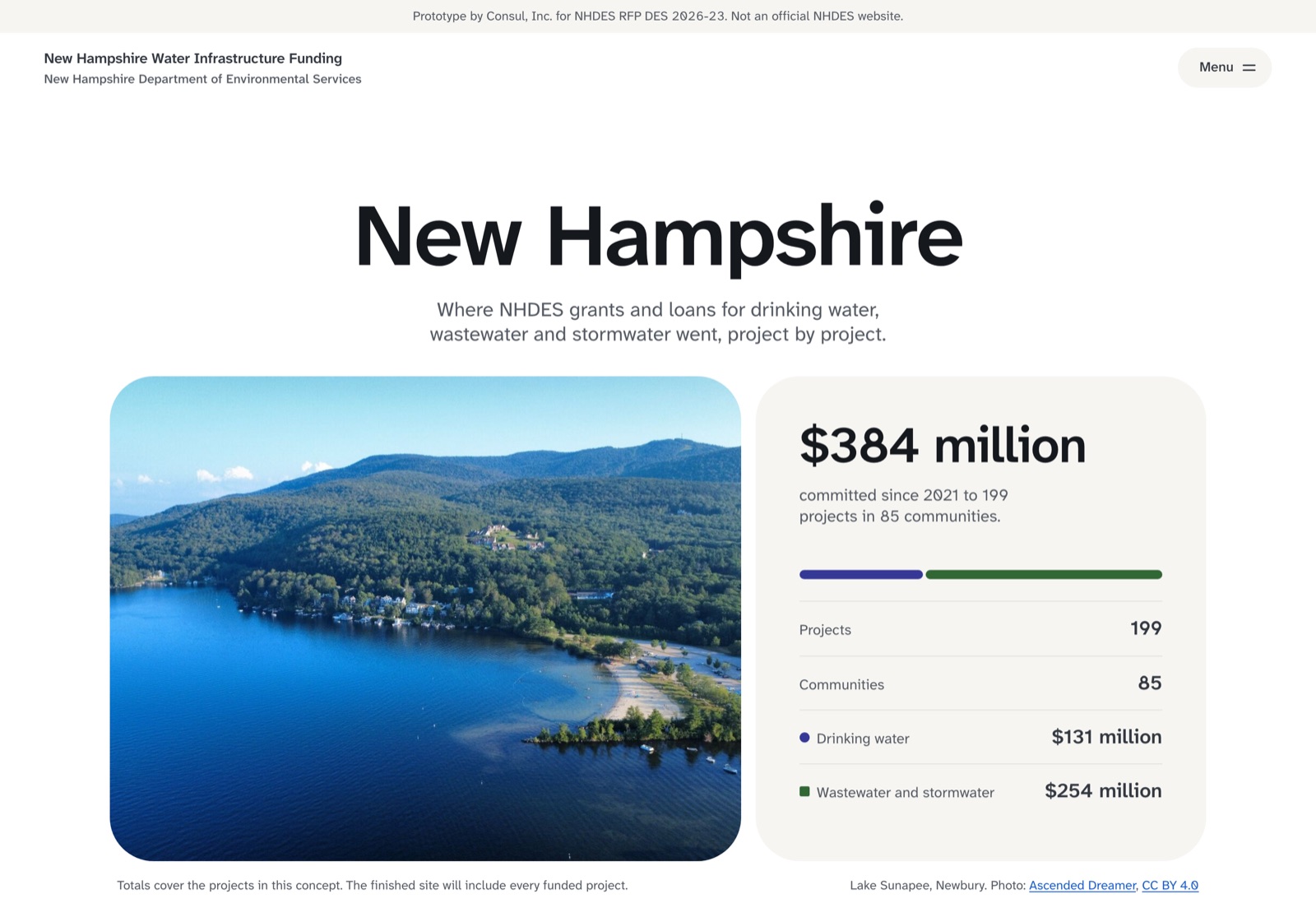
The home page starts with the big picture
- The title, New Hampshire, and one line on what the site shows.
- A photo beside the totals: $384 million, 199 projects and 85 communities.
- Below: where the money came from, where it went and a map of every project.
Walkthrough
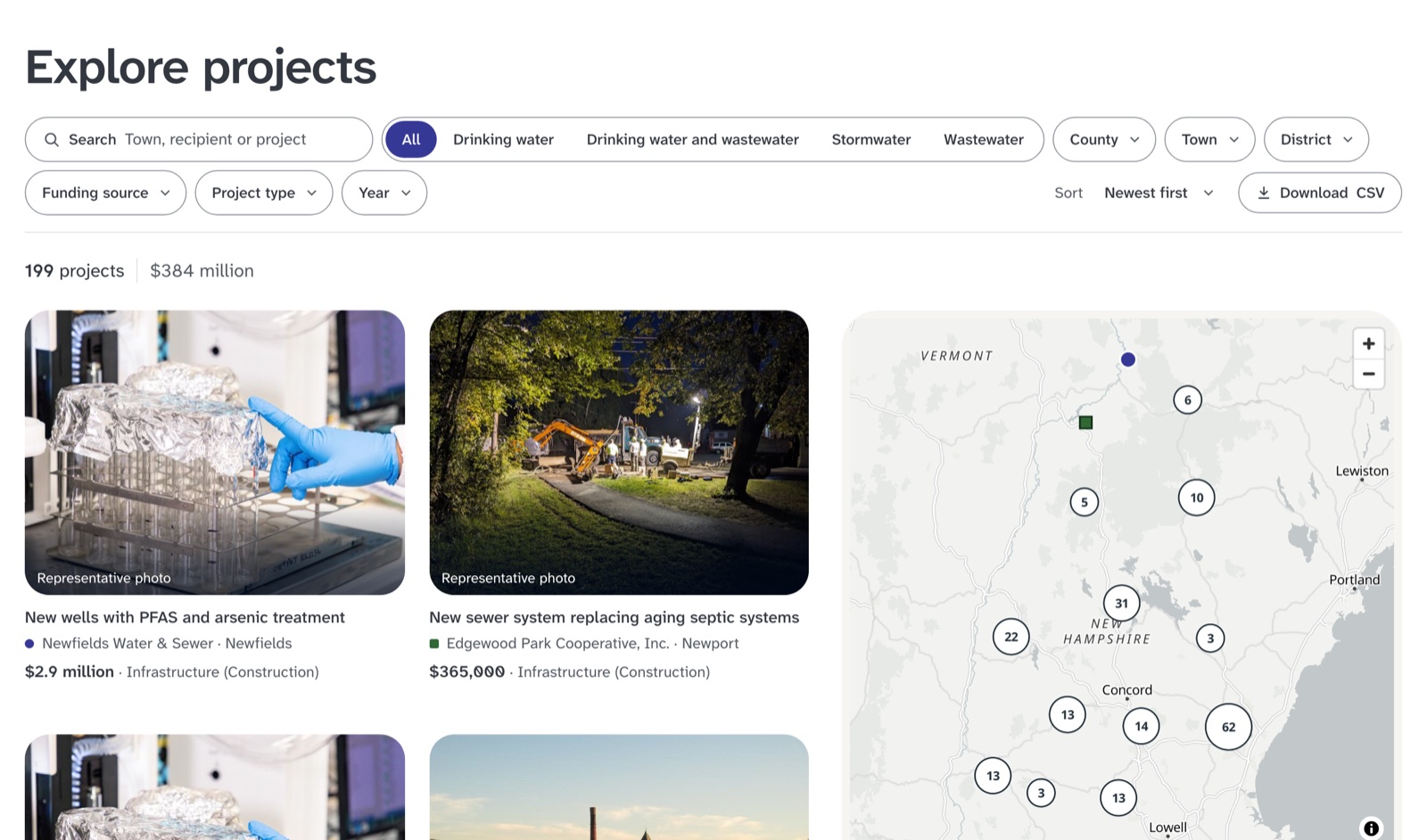
The map and the list show the same projects
- Each project is a card: its title, recipient, town, amount and project type.
- Circles are drinking water projects. Squares are wastewater and stormwater.
- Choosing a mark highlights its card. On a phone, one button switches between the list and the map.
Walkthrough
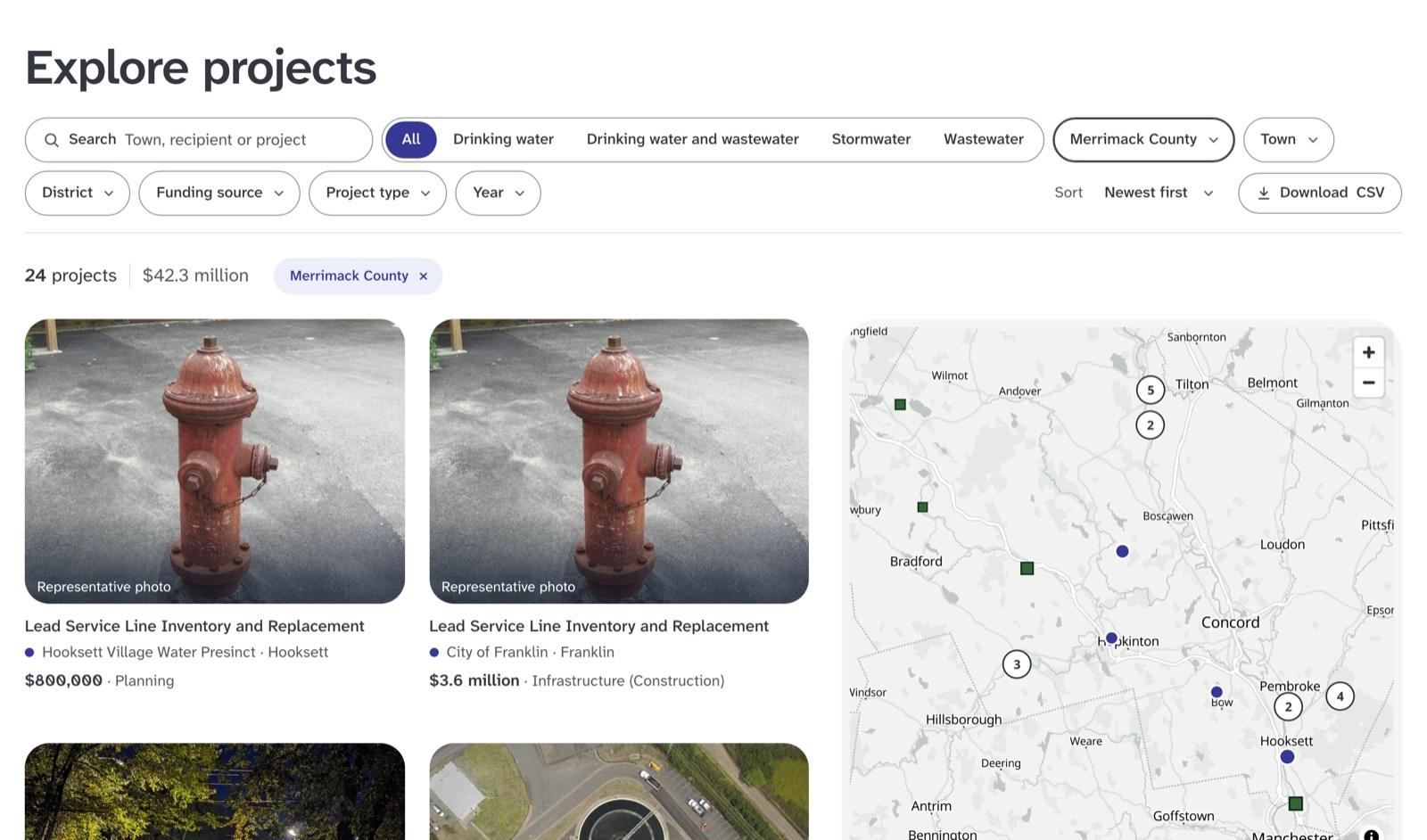
Search and filters narrow the list and the map together
- Search by town, recipient or project number.
- Filter by water system, county, town, district, funding source, project type and year.
- Choosing Merrimack County shows 24 projects and $42.3 million.
- The web address keeps the filters, so a view can be shared. Download CSV saves the matching projects.
Walkthrough
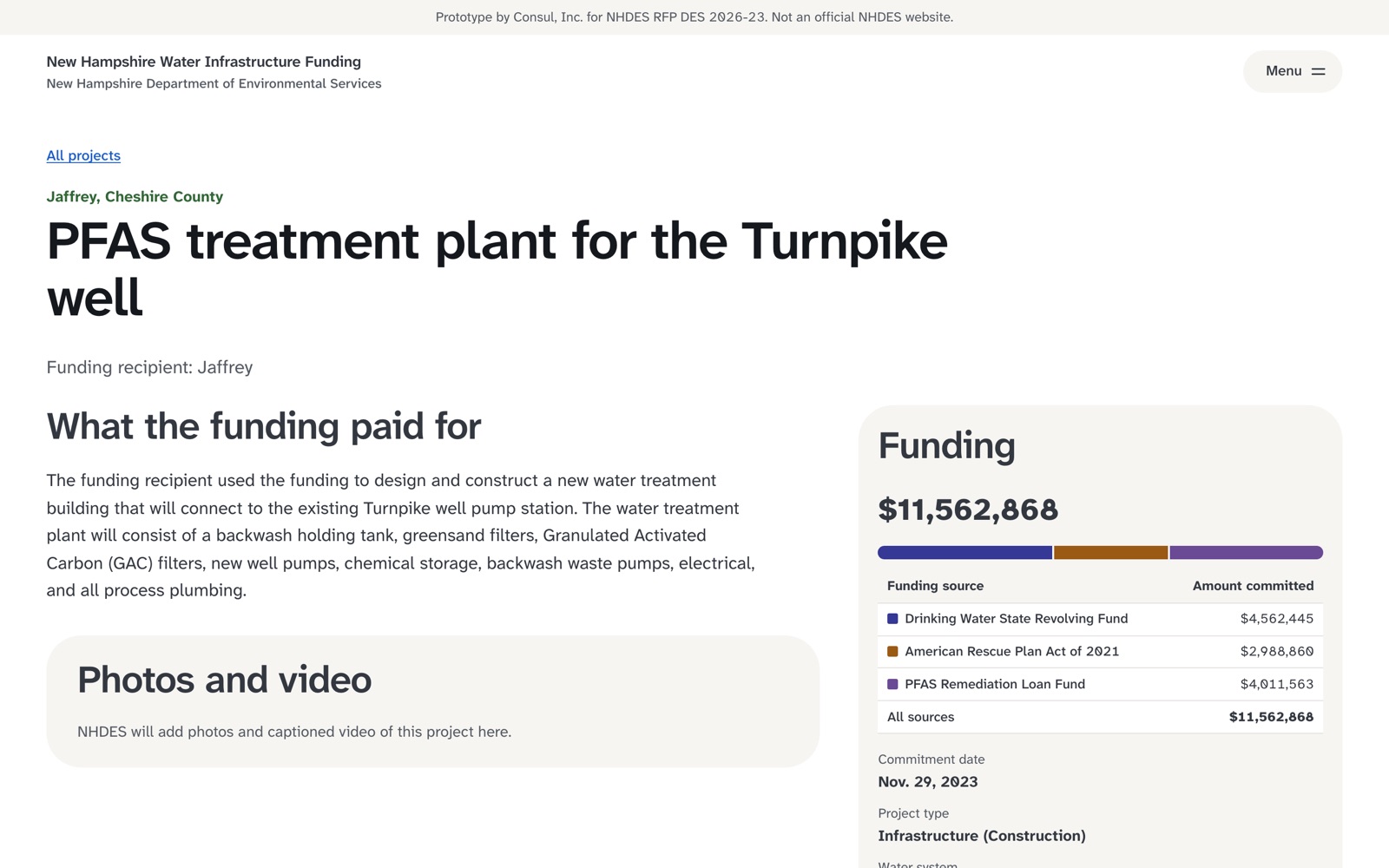
Every project has its own page
- The narrative says what the funding paid for.
- A table lists the amount from each funding source separately.
- Jaffrey's Turnpike well treatment plant: $11,562,868 from three sources.
- A Photos and video area is ready for NHDES photos and captioned video.
Walkthrough
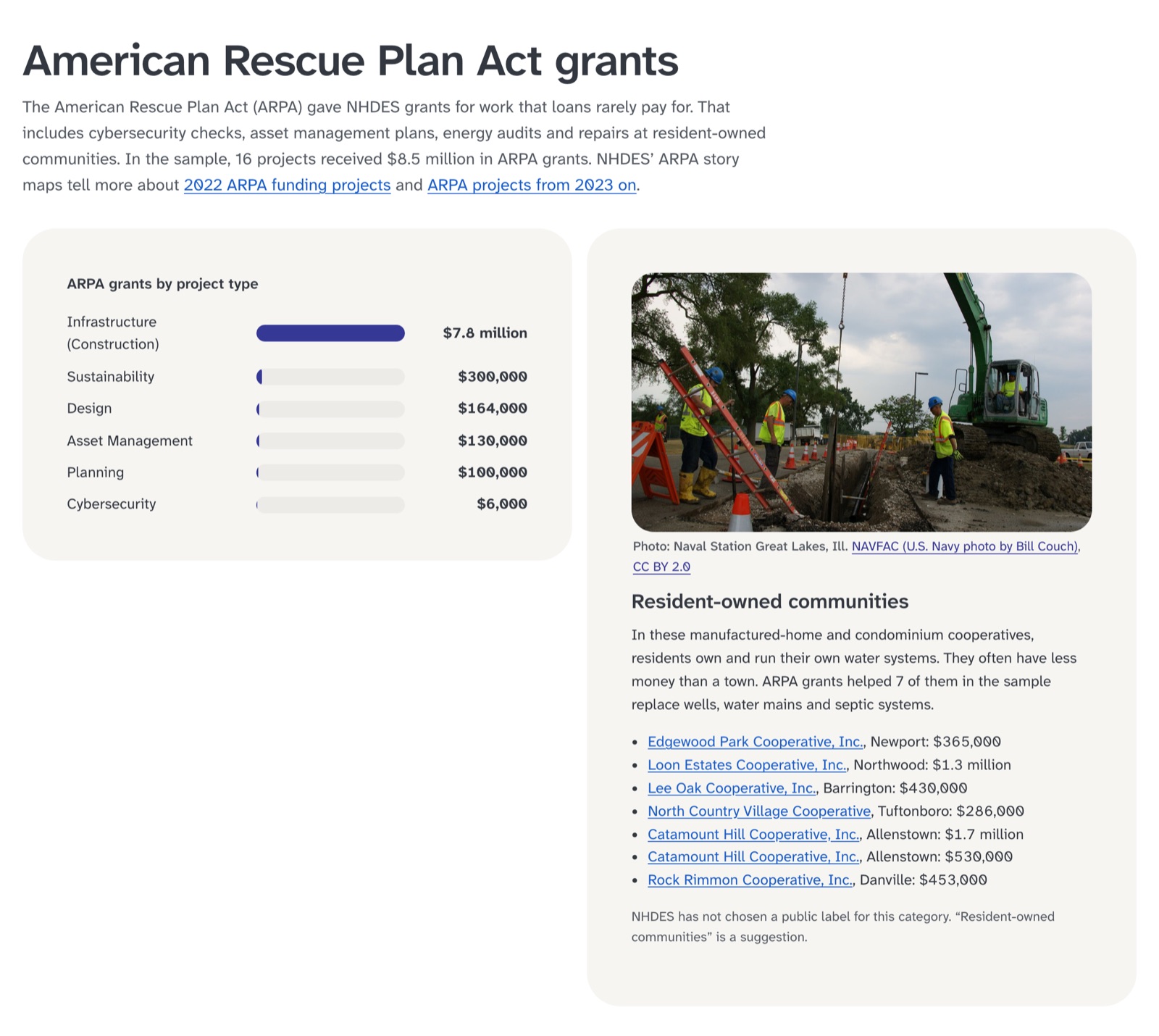
ARPA grants reached work that loans rarely fund
- Sixteen projects received $8.5 million in American Rescue Plan Act (ARPA) grants.
- Construction received $7.8 million. The rest went to sustainability, design, asset management, planning and cybersecurity.
- Three resident-owned communities used ARPA grants for wells, water mains and septic systems.
Walkthrough
A guided story walks through the data
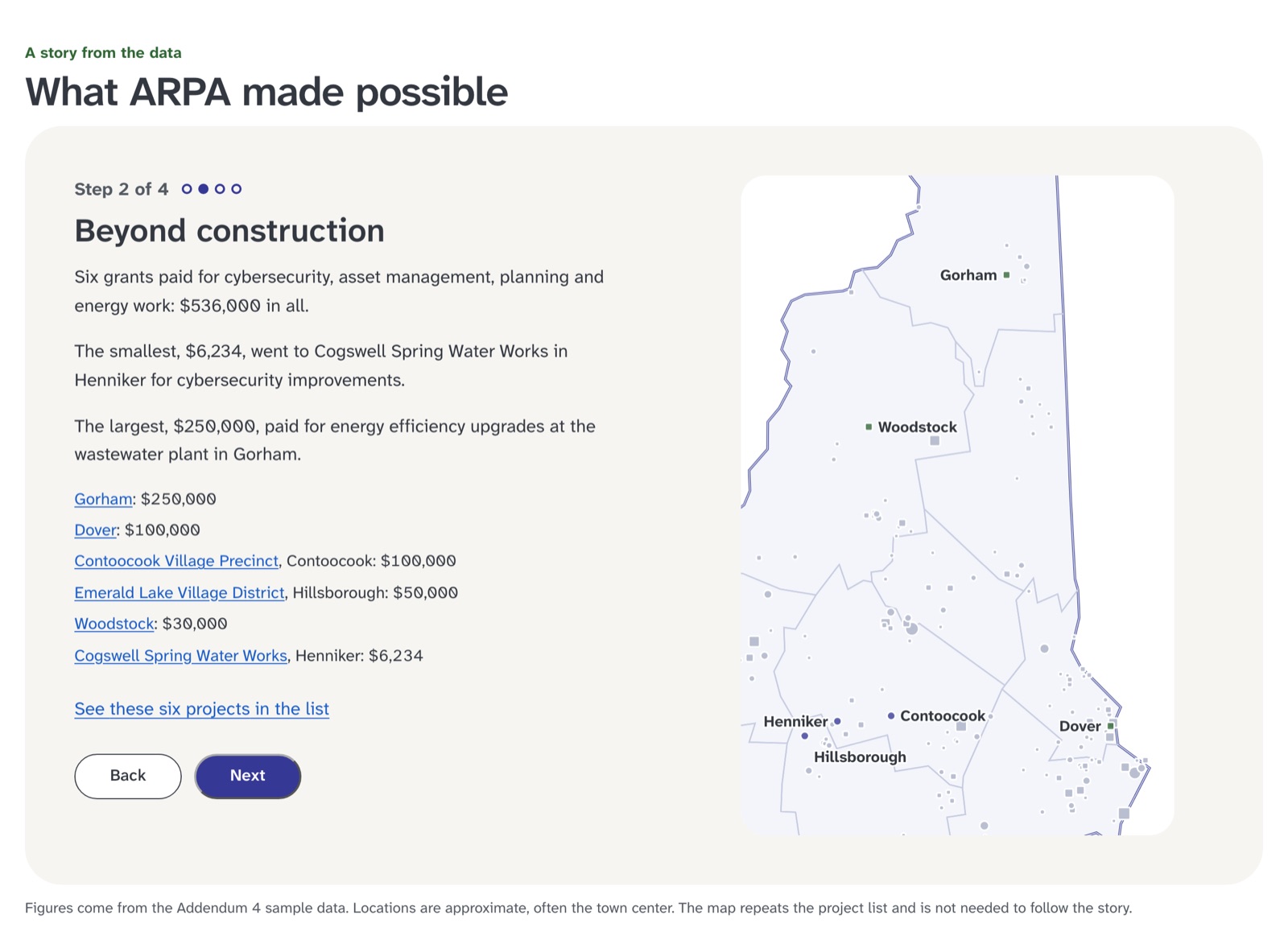
- What ARPA made possible has four steps. Back and Next move between them.
- Each step names its projects and zooms the map to them.
- Step 2: six grants paid for cybersecurity, asset management, planning and energy work, $536,000 in all.
Behind the dashboard
How the data is updated twice a year
- NHDES sends its updated project spreadsheet.
- The dashboard checks every row: funding sources must add up to the total, towns must be real New Hampshire towns and project numbers must be unique.
- A short check report lists new, changed and removed projects and any rows that need a decision.
- NHDES reviews and approves the report.
- The site updates only after approval.
Behind the dashboard
Built for everyone to use
- Designed to Web Content Accessibility Guidelines (WCAG) 2.2 Level AA.
- Everything works with a keyboard, and every project on the map is also in the list.
- Every chart shows its values as text or in a table, and tables say No Value instead of leaving a cell blank.
- Motion stops when a device is set to reduce motion.
- Works on phones as narrow as 320 pixels. This presentation has a full transcript.
Contact
Questions and contact
Derek Bai, Consul, Inc.
Email: derek@consulgov.com
Read the dashboard user guide or open the dashboard prototype.
On the finished site, this slide will list a NHDES program contact.
Use the Left and Right arrow keys, or the round buttons. Show all slides as one page